Updated: September 14, 2026
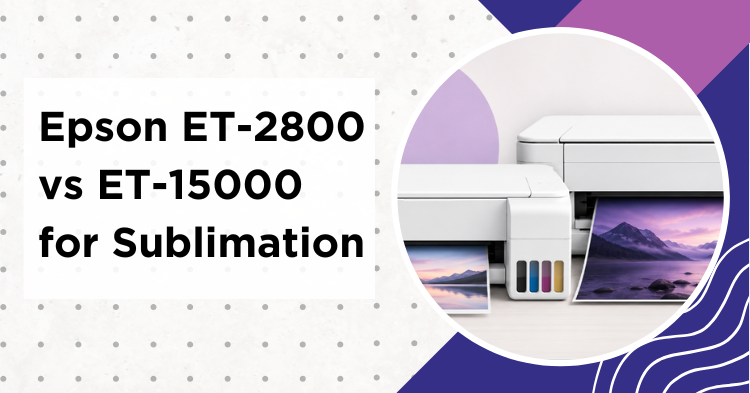
Epson ET-2800 vs ET-15000 is one of the most common crossroads for anyone converting an EcoTank to sublimation, and the honest answer is simpler than most reviews make it. These two are both four-color EcoTank printers that crafters commonly adapt for sublimation, but they are not identical machines. The biggest practical difference for most buyers is print size, though it is not the only one. This guide walks through who needs which, using the specs from our own hands-on ET-15000 review and ET-2800 review, cross-checked against the official Epson pages.
My Quick Answer
For most crafters, the ET-2800 is the better-value buy: it is the more affordable, compact option and handles mugs, shirts, keychains and many standard tumbler wraps on paper up to 8.5 x 14 inches. Choose the ET-15000 when you need its 13 x 19 inch sheet size, faster output, or more capable paper handling. For typical craft projects, the visible sublimation quality can be very similar once each printer is set up properly. The ET-15000’s real value is its larger print area and workflow, not guaranteed better color.
Last Updated: July 2026
As an Amazon Associate I earn from qualifying purchases. Some links below are affiliate links, at no extra cost to you.
Epson ET-2800 vs ET-15000: Specs Side by Side
Here is the head-to-head that the single-model reviews never put in one place. Every value is confirmed against our own testing notes and the official Epson product pages for the ET-2800 and ET-15000.
| Feature | ET-2800 / ET-2803 | ET-15000 |
|---|---|---|
| Max print size | 8.5 x 14 in (letter / legal) | 13 x 19 in (via rear feed) |
| Print technology | 4-color Micro Piezo, heat-free | 4-color Epson heat-free inkjet |
| Sublimation use | Commonly converted, not Epson-supported | Commonly converted, not Epson-supported |
| Paper handling | 100-sheet feed (varies by media) | 250-sheet front cassette plus rear feed; 13 x 19 uses the rear feed |
| Borderless printing | Select smaller photo sizes only | Up to 11 x 17 in; 13 x 19 prints with margins |
| Connectivity | Wi-Fi, Wi-Fi Direct, USB, mobile printing | Wi-Fi, Wi-Fi Direct, USB, Ethernet, mobile printing |
| Extras | Compact desktop unit | Faster output, ADF, auto duplex, larger footprint |
| Best for | Mugs, shirts, small blanks, beginners | Large panels, wide wraps, volume |
Both use heat-free piezo inkjet technology, and for typical craft work they can produce very similar visible results when each is set up with suitable ink, paper, driver settings and a printer-specific ICC profile. The ET-15000 is the larger, faster, more capable machine, but it is not simply a bigger ET-2800 with better color.
Print Size Is the Biggest Difference
For most sublimation buyers, the Epson ET-2800 vs ET-15000 choice comes down to how big you print. The ET-2800 tops out at 8.5 x 14 inches. That covers the vast majority of projects: a mug wrap, many standard tumbler wraps, a modest shirt-front design, keychains, coasters, phone cases and many small panels. Plenty of crafters never hit that ceiling.
The ET-15000 exists for the projects that do not fit on letter or legal paper. Its 13 x 19 inch sheets (fed through the rear tray) let you print larger aluminum panels and signs, oversized shirt-front designs, small banners, and larger drinkware wraps in one piece, and you can gang several small blanks on a single sheet to save paper and time. It also prints faster and handles paper more flexibly, which matters if you run volume. Beyond size, the two also differ in speed, paper path, Ethernet, office features and desk footprint, so measure your space and think about your workflow, not just the maximum sheet.
A note on tumblers: many standard straight 20 oz skinny wraps fit on the ET-2800 when you rotate the design so its long side runs along the length of the sheet. Check the exact template before you buy, though, because some full-bleed wraps approach or exceed the usable 8.5 inch paper width once printer margins and bleed are included. The ET-15000 helps with wider or taller drinkware, more generous bleed, or two wraps per sheet.
Running Cost and Ink
Both are EcoTank printers, which is the whole reason crafters convert them: you refill large ink tanks instead of buying cartridges, so ink cost can be low compared with a cartridge printer. That said, real sublimation cost depends heavily on how much ink your designs cover, how often you run cleaning cycles, and which third-party ink you use. A full-coverage transfer uses far more ink than a text page, so treat any “cents per print” figure with caution.
The ET-2800 is the more affordable printer to buy and the smaller one to keep on a desk. The ET-15000 comes with a larger black ink supply and has greater plain-paper capacity, which suits higher volume, but do not assume it means proportionally fewer refills for full-color sublimation, since the color bottles are only somewhat larger. If budget is the deciding factor and your projects fit on letter paper, the ET-2800 wins on value.
Conversion and Setup: Similar, Not Identical
This is where beginners overthink it, and where a few reviews oversimplify. Both the ET-2800 and the ET-15000 are ordinary document printers that crafters adapt by filling a new, unused unit with sublimation ink from the start, so no regular ink ever runs through them. Starting with an unused printer avoids contamination. The basic first-fill idea is the same on either machine.
What is not identical is the full workflow. The two models use different drivers, paper paths, print speeds and quality options, so an ICC profile and driver settings should be matched to the exact printer, ink, paper and software you use. A profile built for one is not guaranteed to be right for the other. Our sublimation printer settings and ICC profile guide apply to either printer, but profile to your own machine rather than copying numbers across models. Picking the ET-15000 does not buy you an easier setup, it buys you a larger, faster machine.
Before you buy: Neither printer is sold or supported by Epson as a sublimation printer. Filling one with third-party sublimation ink may affect warranty coverage, especially if the ink causes a failure. Treat a converted printer as a dedicated sublimation machine, do not switch it back and forth with regular ink, and run a nozzle check before important jobs. A clean nozzle pattern matters more to the finished transfer than any headline resolution.
Who Should Buy the ET-2800
Buy the ET-2800 (or ET-2803) if you are starting out, want the most affordable way in, and your designs fit comfortably on letter or legal paper: mugs, shirts, many tumblers, keychains and coasters. It is compact, easy to convert, and covers what most crafters actually make. This is the better-value pick for the large majority of hobby users. See our best sublimation printer for beginners guide for the full beginner picture.
Who Should Buy the ET-15000
Choose the ET-15000 when you need 13 x 19 inch sheets, regularly batch several designs per sheet, want faster production and more capable paper handling, or also use its office features. If that describes your work, the extra width and speed pay off. Do not buy it purely expecting automatically better sublimation color, because that is not what the larger model gives you. Our best 13×19 sublimation printers guide covers this class in depth.
Where to Buy:
- Epson EcoTank ET-2800 – The affordable, compact pick for mugs, shirts and small blanks.
- Epson EcoTank ET-15000 – The 13 x 19 inch option for large-format prints.
As an Amazon Associate I earn from qualifying purchases. Both are non-sublimation printers you convert with sublimation ink from the start.
Frequently Asked Questions
Is the ET-2800 or ET-15000 better for sublimation?
For most people the ET-2800 is the better-value buy, because it is more affordable and handles mugs, shirts and standard blanks on paper up to 8.5 x 14 inches. The ET-15000 is worth it when you need its 13 x 19 inch sheets, faster output or more capable paper handling. For typical projects the visible sublimation quality can be very similar once each is set up properly.
Can both the ET-2800 and ET-15000 be converted to sublimation?
Yes. Both are EcoTank printers with heat-free piezo printheads, and both are commonly adapted by filling a new, unused unit with sublimation ink so no regular ink ever runs through them. The basic first-fill process is similar, but neither is an Epson-supported sublimation printer, and third-party ink may affect warranty coverage.
Do I need the ET-15000’s 13 x 19 size for mugs and shirts?
Usually not. Mugs, many standard tumbler wraps, adult shirt fronts, keychains and coasters fit on the ET-2800’s 8.5 x 14 inch paper. The larger sheet mainly helps with larger panels, small banners, oversized shirt-front designs, generous bleed, or ganging multiple blanks per sheet.
Are the ICC profile and print settings the same on both?
No. The two models use different drivers, paper paths and quality options, so ICC profiles and driver settings should be matched to the exact printer, ink and paper. The basic conversion idea is the same, but do not copy a profile built for one printer onto the other and expect identical results.
Does the ET-15000 print better quality than the ET-2800?
Not automatically. For typical craft projects, both can produce very similar sublimation quality when each is properly profiled with suitable ink and paper. The ET-15000’s advantages are its larger print area, faster output and more capable paper handling, not a guaranteed jump in color.
Can the ET-2800 print tumbler wraps?
Many standard 20 oz wraps fit on the ET-2800 when the design is rotated to run along the length of the sheet. Check the exact template first, since some full-bleed wraps approach or exceed the usable 8.5 inch width once margins and bleed are added. The ET-15000 helps with wider or taller drinkware.
Which should a beginner buy?
The ET-2800 or ET-2803. It is the most affordable entry point, it is compact, and it covers the projects beginners actually start with. Move up to the ET-15000 later only if your work outgrows letter-size printing or needs more speed and paper capacity.
The Bottom Line
The Epson ET-2800 vs ET-15000 decision is mostly a size and workflow question. Both are four-color EcoTank printers that crafters commonly convert, and for typical projects both can look very similar once properly profiled. They are not identical machines, though: the ET-15000 adds 13 x 19 inch printing, faster output and more capable paper handling, while the ET-2800 is the compact, better-value choice that fits what most crafters make. Decide by the largest thing you plan to print and how much you print, and the choice makes itself. For the wider field, see our best Epson printers for sublimation guide.


Emily Johnson is a DIY crafter and the founder of SublimationGuides.com. She started out repairing and sewing clothes for her two sons, then discovered sublimation as a way to personalize her makes. Today she researches and shares honest, tested guides on sublimation settings, troubleshooting, and equipment.