Updated: March 6, 2026
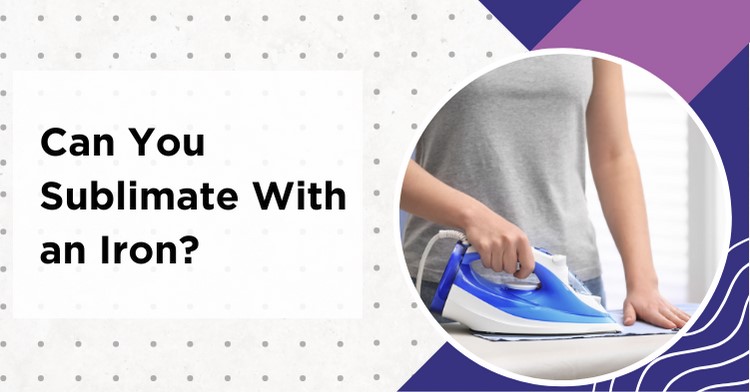
Sublimate with an iron — it sounds almost too easy, right? Just print your design, slap it on a blank, and press with a household iron. The truth is that yes, you can technically sublimate with a regular iron, but there are some serious limitations you need to know about before you try it. Many crafters have tried this on a small keychain blank, and the transfer actually works — but the edges often come out noticeably faded. An iron can work in a pinch for very small, flat items, but it will never give you the consistency or quality of a proper heat press. Let me walk you through exactly what works, what does not, and when it makes sense to upgrade.
My Quick Answer
Yes, you can sublimate with a household iron, but only on small, perfectly flat, poly-coated items like keychains, dog tags, and earrings. Expect uneven edges and occasional ghosting because an iron cannot hold stable heat and even pressure like a heat press.
- Works best for: flat blanks up to ~4″ (10 cm)
- Possible (with edge fading): up to ~6×8″
- Avoid for: shirts, mugs/tumblers, and coasters bigger than 4″
- Best upgrade: a mini heat press or EasyPress-style press for consistent results
Last Updated: March 2026
Iron Sublimation Quick Settings
- Heat: Highest setting (“Linen” on most irons)
- Target temp: ~380–400°F (most sublimation blanks). Irons vary a lot — an IR thermometer helps
- Steam: OFF + empty the water tank
- Time: 60 seconds, then adjust in +10s steps
- Movement: None — press and hold
- Surface: Hard tabletop (never an ironing board)
- Protection: Butcher or parchment paper above + below the blank
Contents
- 1 Can You Sublimate with an Iron? The Honest Answer
- 2 Iron vs Heat Press for Sublimation
- 3 What Items Can You Sublimate with an Iron?
- 4 How to Sublimate with a Household Iron
- 5 Can You Use a Flat Iron (Hair Straightener) for Sublimation?
- 6 5 Common Problems When Sublimating with an Iron
- 7 Better Than an Iron (Still Budget-Friendly)
- 8 When to Upgrade to a Heat Press
- 9 Can You Start a Business with Iron Sublimation?
- 10 My Take
- 10.1 Can you sublimate a shirt with an iron?
- 10.2 What temperature do you need for iron sublimation?
- 10.3 Does sublimation with an iron last as long as with a heat press?
- 10.4 Do you need to turn off steam for sublimation with an iron?
- 10.5 Can you use parchment paper instead of butcher paper with an iron?
- 10.6 Can you sublimate earrings with a household iron?
- 10.7 Do you have to mirror sublimation prints when using an iron?
- 10.8 Can you use a Cricut EasyPress for sublimation instead of an iron?
Can You Sublimate with an Iron? The Honest Answer
Here is the deal. Sublimation printing requires three things to work properly: the right temperature (usually around 380-400°F), consistent pressure across the entire surface, and enough time at that temperature for the ink to convert from solid to gas and bond with the polyester coating. A household iron can technically reach those temperatures on its highest setting, but it fails on the other two fronts.
The biggest problem is pressure. When you press down on an iron, you are applying force unevenly — more in the center, less on the edges. You also tend to rock the iron slightly without realizing it, which causes ghosting (that blurry double-image effect). And since most irons have steam holes on the soleplate, those areas create tiny pockets where no pressure is applied at all.
That said, if you just want to try sublimation for the first time without investing in equipment, an iron sitting in your laundry room can absolutely produce a decent transfer on a small keychain or a set of earring blanks. The key word here is “small.” The smaller the item, the easier it is to maintain even pressure with an iron.
Iron vs Heat Press for Sublimation
Before you decide whether to use your household iron or invest in a press, take a look at this side-by-side comparison. And trust me, the differences matter.
| Factor | Household Iron | Heat Press |
|---|---|---|
| Temperature Control | Poor (±30°F or more) | Precise (±5°F) |
| Pressure | Manual, uneven | Consistent, adjustable |
| Max Item Size | ~6×8″ (15×20 cm) | 15×15″ or larger |
| Steam Holes | Yes — cause uneven marks | Flat, smooth surface |
| Typical Result | Inconsistent edges, occasional ghosting | Consistent, repeatable results |
| Cost | $20–40 | $150–300 |
| Best For | Testing, tiny items | Everything |
The quality gap is massive. A dedicated heat press gives you a digital temperature readout, adjustable pressure settings, and a timer that beeps when your transfer is done. With an iron, you are guessing on all three. My tip: if you are only doing a few test items to see if sublimation is for you, an iron is fine. But the moment you want to sell anything or gift something you are proud of, a press is worth every penny.
Quick Reality Check
On poly-coated keychains, the center usually looks great with an iron — but the edges often come out lighter because pressure is not even. If you want consistent “gift-quality” or “sell-quality” results, a press is the difference-maker.
What Items Can You Sublimate with an Iron?
Not everything is a good candidate for iron sublimation. The rule is simple — small and flat items work, everything else does not. Here is what works and what does not.
| Item | Works with Iron? | Notes |
|---|---|---|
| Earring blanks | Yes | Small enough for even pressure |
| Dog tags | Yes | Great starter item |
| Keychains | Yes | Use extra pressure on edges |
| Small coasters (4″) | Maybe | Edges often come out faded |
| T-shirts | No | Too large, uneven results guaranteed |
| Mugs | No | Curved surface — impossible with flat iron |
| Tumblers | No | Need a mug press or convection oven |
| Large mouse pads | No | Too large for consistent coverage |
Always remember that sublimation only works on polyester-coated surfaces. The iron versus heat press debate is only about the heat source — the blank itself still needs to have a poly coating to accept the sublimation ink.
How to Sublimate with a Household Iron
If you want to give it a try, here is how to get the best possible results. These steps are not optional — skip any one of them and your transfer will likely fail.
Turn off the steam completely. This is the number one mistake. Any moisture will ruin your sublimation transfer instantly. Empty the water reservoir entirely. If your iron has a steam burst button, make sure you do not accidentally press it during the transfer. Even a tiny puff of steam will leave water marks all over your design.
Set the iron to its highest heat setting. On most irons, this is the “Linen” setting. Sublimation needs around 380-400°F, and the linen setting typically reaches somewhere in that range. The problem is you will never know the exact temperature because household irons do not have digital readouts. If you are serious about getting this right, consider picking up a cheap infrared thermometer to check the actual soleplate temperature.
Use a hard, flat surface — never an ironing board. This is critical. An ironing board is padded and soft, which means pressure gets absorbed instead of transferred to your blank. Use a countertop, a workbench, or even a concrete floor with a piece of cardboard on top. The harder the surface, the better your transfer will be. Safety note: work in a well-ventilated area and protect your surface — do not press on countertops used for food prep.
Tape your design face-down onto the blank using heat-resistant tape. Regular scotch tape will melt. Make sure the printed side of the sublimation paper is touching the polyester surface of your blank.
Press down firmly for 60 seconds without moving the iron. This is where most people fail. Your instinct is to slide the iron back and forth like you are ironing a shirt. Do not do that. Plant the iron directly on top of the blank and push straight down with as much body weight as you can. Hold it completely still. Any sliding will cause ghosting — that blurry double-image that ruins the entire transfer.
Peel the paper while it is still hot. Peel timing depends on the blank. Many hard sublimation blanks are hot peel, so remove the tape and lift the paper right after pressing — but always check the blank manufacturer’s instructions. If you notice ghosting on small items, try waiting 10-20 seconds before peeling instead. If you wait for it to cool completely, the colors may look duller.
Can You Use a Flat Iron (Hair Straightener) for Sublimation?
This is a creative idea that actually works for very specific items. A flat iron (hair straightener) has two heated plates that clamp together, giving you pressure from both sides — which is better than a household iron in some ways.
The catch is size. A flat iron plate is usually only about 1 inch wide and 3-4 inches long, so you are limited to extremely small items like earring blanks, mini name tags, or thin bookmarks. You will also need to check that your flat iron reaches at least 380°F. Many styling tools top out around 450°F, which is actually in a good range, but cheaper models may only reach 300-350°F, which is not enough for sublimation.
My tip: if you go this route, get a flat iron with a digital temperature display. That way you can set it to exactly 385-400°F instead of guessing. The temperature precision alone makes a flat iron better than a household iron for tiny items — just do not expect to sublimate anything wider than the plates themselves.
5 Common Problems When Sublimating with an Iron
Things will go wrong — especially the first few attempts. The most common result is a ghosted, half-faded keychain that goes straight in the trash. Here are the most common issues and how to fix them.
Ghosting (blurry double image). This happens when the iron shifts during the transfer. The fix is simple: do not move the iron at all once it is placed on the blank. Tape your design down securely and press straight down without any rocking or sliding motion. If ghosting keeps happening, you are probably pressing on a surface that is too soft.
Faded or washed-out colors. Your iron is either not hot enough or you did not press long enough. Try increasing the time in 10-second steps (start at 60s, then 70s) and make sure the iron is on its maximum setting. Also check that you printed your design with sublimation ink on sublimation paper — regular inkjet prints will not work at all.
Steam marks or water spots. You forgot to empty the water tank or accidentally hit the steam button. Always drain the reservoir completely and double-check before pressing. Those water marks cannot be fixed after the fact.
Uneven transfer (good in center, faded on edges). This is the fundamental limitation of using an iron. The soleplate is curved slightly at the edges on most irons, plus the steam holes create pressure gaps. For small items, try pressing multiple times — first the center, then shifting slightly to cover each edge. For anything larger than about 4 inches, this problem will always exist with an iron.
Design transferred backwards. You placed the sublimation paper face-up instead of face-down. Always remember: the printed side goes against the blank. If your design has text, it should look mirrored on the paper before pressing.
Visible paper edge lines on the transfer. The sharp edges of your sublimation paper can leave marks where they press into the blank. The fix is simple: tear the edges of the sublimation paper instead of cutting them with scissors. Torn edges are softer and do not leave imprint lines. Also place a sheet of butcher paper on top to cushion the iron’s pressure.
Better Than an Iron (Still Budget-Friendly)
If the idea of a full clamshell heat press feels like overkill, there is a middle ground that gives you dramatically better results than an iron without breaking the bank.
A mini heat press or EasyPress-style press is the sweet spot for beginners who want consistent results on small items. These compact presses give you a flat heated plate, stable temperature control, and even pressure — everything a household iron lacks. Most mini presses cost between a regular iron and a full-size heat press, and they handle keychains, coasters, earrings, and small shirts perfectly.
The Cricut EasyPress is the most well-known option, but there are plenty of affordable alternatives that do the same job. The key advantage over an iron is temperature precision — you set the exact degrees and time, and the press holds them steady. No more guessing, no more steam holes, no more rocking the iron back and forth.
My tip: if you have tried iron sublimation and liked the process but hated the inconsistent results, a mini press is the logical next step before committing to a full 15×15″ clamshell press.
When to Upgrade to a Heat Press
An iron is a starting point, not a destination. If any of the following sounds like you, it is time to invest in a proper heat press machine.
You are making more than 5 items per week. At that volume, the inconsistency of an iron becomes a real problem. You will waste blanks on failed transfers, and wasted blanks cost more than a heat press in the long run.
You want to sublimate mugs, tumblers, or full-size shirts. These items simply cannot be done with an iron. Mugs need a mug press for the curved surface. Shirts need a 15×15″ flat press for even coverage. No iron can replace those.
You are selling your work. Trust me on this one — customers expect consistent quality. One faded keychain or ghosted coaster and you will get a return request. A heat press eliminates almost all of the variables that cause quality issues.
You want to work with specific temperature and time settings. Different substrates need different settings. Glass needs different handling than fabric, and a canvas project has its own requirements. A 60/40 blend shirt needs different temperature and time than a ceramic mug. Without precise temperature control, you are always guessing.
A basic 15×15″ heat press starts around $150-200, and a decent mug press is about $50-80. Considering a single failed shirt blank costs $8-12, the press pays for itself within a few dozen transfers.
Can You Start a Business with Iron Sublimation?
Technically yes, but only for a very narrow product range. If you focus exclusively on small items — earring blanks, keychains, dog tags, and mini ornaments — you can produce sellable products with just an iron. These items sell well on Etsy and at craft fairs, and the material cost per item is extremely low ($0.50-$2.00 each).
The problem is scalability. Pressing one keychain at a time with an iron takes 60 seconds plus setup. With a heat press, you can do 4-6 small items simultaneously in the same 60 seconds. If you plan to sell more than 20-30 items per week, the iron becomes a serious bottleneck.
My tip: start with an iron to validate your designs and test whether people actually want to buy your products. Once you get your first 10-15 orders, reinvest that money into a heat press. The iron gets you started with zero investment, and the press gets you to profitability.
My Recommended Supplies for Iron Sublimation:
- Infrared Thermometer – Check your iron’s actual temperature before pressing. An affordable tool that saves you from wasting blanks.
- Heat-Resistant Tape – Holds your sublimation paper firmly in place. Regular tape melts at pressing temperatures.
- Butcher Paper – Place on top of your transfer to protect the iron soleplate and prevent scorching.
- A-SUB Sublimation Paper – Consistent quality paper that works well with any sublimation ink brand.
- Hiipoo Sublimation Ink – Affordable ink with vibrant colors. Works with converted Epson printers.
- Sublimation Keychain Blanks (150-pack) – Polymer-coated blanks perfect for iron sublimation practice and selling.
As an Amazon Associate I earn from qualifying purchases.
My Take
Can you sublimate with an iron? Yes. Should you? Only if you are testing the waters or making a handful of tiny items. An iron is not a replacement for a heat press — it is a stepping stone.
My advice: try your first 5-10 transfers with an iron. If you enjoy the process and want to do more, buy a press. If it turns out sublimation is not your thing, you spent nothing on equipment. That alone makes the iron method worth knowing about.
But be realistic about the limitations. Anything larger than a keychain will have quality issues. Anything you plan to sell needs consistent results. And consistent results require consistent temperature and pressure, which only a heat press can deliver.
Can you sublimate a shirt with an iron?
Technically you can attempt it, but the results will be poor. A standard iron soleplate covers about 6×8″ (15×20 cm), while a shirt design is typically 10×12 inches or larger. You would need to press in sections, which creates visible lines where the sections overlap or gap. The colors will also be uneven because you cannot maintain consistent pressure and temperature across such a large area. For shirts, you really need a 15×15″ heat press.
What temperature do you need for iron sublimation?
Sublimation requires approximately 380-400°F (193-204°C). Most household irons reach this range on the “Linen” or highest heat setting. However, since irons do not display their exact temperature, the actual heat can vary by 30°F or more. An infrared thermometer is a worthwhile small investment to verify your iron is actually reaching the right temperature before you start wasting blanks.
Does sublimation with an iron last as long as with a heat press?
If the transfer is done correctly — right temperature, enough pressure, and enough time — the sublimation bond is permanent regardless of whether you used an iron or a heat press. If your transfer is not bonding at all, check our guide on why sublimation is not transferring. The ink becomes part of the polyester coating at a molecular level. However, iron transfers are more likely to have areas that did not fully bond due to uneven pressure, and those spots may fade faster over time or after washing.
Do you need to turn off steam for sublimation with an iron?
Absolutely yes. Steam is the enemy of sublimation. Any moisture will interfere with the ink transfer and leave visible water marks or spots on your finished product. Always empty the water reservoir completely, turn off the steam setting, and avoid pressing the steam burst button during the transfer. This is non-negotiable — even a small amount of steam will ruin the design.
Can you use parchment paper instead of butcher paper with an iron?
Yes, parchment paper works as a protective layer when sublimating with an iron. Place it on top of the sublimation paper to protect both the iron soleplate and the transfer from scorching. Butcher paper is the industry standard, but regular parchment paper from your kitchen handles the heat just fine for iron temperatures. Avoid wax paper — it will melt and create a mess.
Can you sublimate earrings with a household iron?
Yes, earring blanks are actually one of the best items for iron sublimation. They are small enough (usually 1-2 inches) that an iron can cover the entire surface with even pressure. Set your iron to the highest setting, press firmly for 60 seconds, and peel hot. A flat iron (hair straightener) works even better for earring blanks because it applies pressure from both sides simultaneously.
Do you have to mirror sublimation prints when using an iron?
Yes, you must mirror (flip horizontally) your design before printing when using regular sublimation paper — regardless of whether you press with an iron or a heat press. The printed side of the paper goes face-down against the blank, so the image needs to be reversed. If your design contains text, it should read backwards on the paper. The only exception is specialty products like Cricut Infusible Ink sheets, which have their own transfer instructions.
Can you use a Cricut EasyPress for sublimation instead of an iron?
Yes, a Cricut EasyPress or similar mini heat press works much better than a household iron for sublimation. It gives you precise digital temperature control, an even heating plate without steam holes, and consistent pressure. The EasyPress is especially good for small to medium flat items like shirts, tote bags, and coasters. It bridges the gap between a household iron and a full clamshell heat press — better results than an iron at a fraction of the cost of a large press.

Emily loves making things special.
She’s also a mom and a wife who enjoys crafting and runs a small business from her home. She knows that the little things can make a house feel like a warm and loving home. This belief has led her to explore the exciting world of sublimation, a crafty way to add a personal touch to just about anything. Her website shares valuable information about sublimation, her crafty ideas, and tips.