Updated: September 24, 2026
My Quick Answer For the design dimensions of every common blank, see our sublimation print sizes guide.
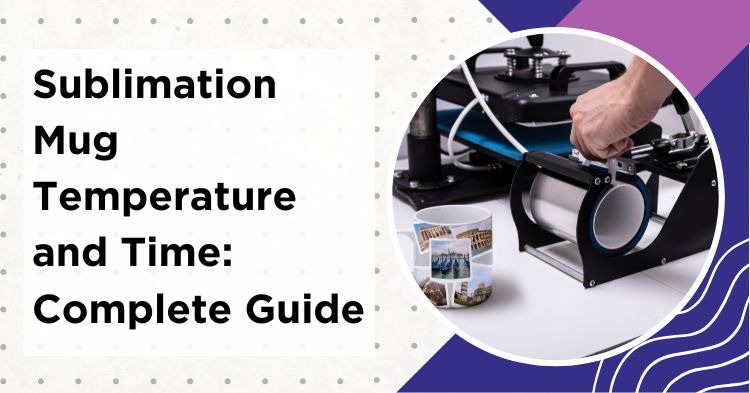
For standard 11oz ceramic mugs, the go-to starting point is 385°F (196°C) for about 200 seconds with medium pressure. Stainless steel varies a lot. Thin coated tumblers need 360-375°F (182-191°C) for just 50-90 seconds, while thicker travel mugs run around 370-380°F for 2-2.5 minutes. Always start low and adjust time in 10-15 second steps first. Only change temperature after that. The chart below has starting settings for every common mug type.
Last Updated: February 2026
Some links on this page are affiliate links. As an Amazon Associate I earn from qualifying purchases, at no extra cost to you.
Sublimation mug temperature and time settings can make or break your mug projects. Getting even 10°F off can mean the difference between vibrant colors and a faded mess. The tricky part? Every mug press runs a little differently, so the “perfect” settings for one setup won’t necessarily work for another.
The good news is that once you dial in what works for your specific press and blanks, you’ll get consistent results. Treat the numbers below as a starting point, not gospel, and always do a test mug first.
Sublimation Mug Temperature and Time Chart
This chart covers the most common mug types with recommended starting settings. Every press and blank brand is slightly different, so always test first and adjust in small steps.
| Mug Type | Temperature | Time | Pressure | Notes |
|---|---|---|---|---|
| 11oz Ceramic | 385°F / 196°C | 180-210 sec | Medium | Test hot peel vs. cool peel |
| 15oz Ceramic | 385-400°F / 196-204°C | 200-260 sec | Medium | Longer time for larger surface |
| Latte Mug (12oz) | 380-400°F / 193-204°C | 180-220 sec | Medium | Wider shape, check contact |
| Stainless Tumbler (thin) | 360-375°F / 182-191°C | 50-90 sec | Medium-Firm | Often 2 short presses + rotate |
| Stainless Travel Mug (thick) | 370-380°F / 188-193°C | 120-150 sec | Medium-Firm | Cool with paper on to prevent ghosting |
| Enamel Mug | 385-400°F / 196-204°C | 105-270 sec | Medium | Brand varies wildly. Always test! |
| Color Changing Mug | Low & short | Follow manufacturer | Light-Medium | Too hot = permanent coating damage |
My tip: Always start at the lower end of the range. Adjust time first in 10-15 second steps. Only change temperature (by 5-10°F) if time adjustments alone don’t fix the issue. Adding seconds is easy. Fixing a scorched mug is not!
Sublimation Mug Settings for Ceramic (11oz & 15oz)
Ceramic mugs are the bread and butter of mug sublimation and the best place for any beginner to start. For 11oz mugs, 385°F (196°C) for about 180-210 seconds with medium pressure is a solid starting point. For 15oz mugs, bump the time up to 220-260 seconds since there’s more surface area for the heat to cover.
The pressure should be snug but not forced. If you’re struggling to close the mug press, something’s off. The mug should slide in smoothly and the heating element should make even contact all around. Too much pressure on ceramic can actually crack the mug.
Stainless Steel Tumbler Sublimation Settings
Metal mugs are a completely different beast, and the settings depend heavily on wall thickness.
Thin-walled coated tumblers heat up much faster than ceramic. They typically need lower temperatures (360-375°F / 182-191°C) and shorter times. Often just 50-90 seconds. Many crafters get better results by doing two shorter presses with a rotation in between for more even coverage.
Thicker stainless travel mugs with handles are a different story. These usually need 370-380°F (188-193°C) for around 2-2.5 minutes because the thicker walls absorb more heat before the coating reaches transfer temperature. Always check the blank manufacturer’s recommendations first. Sawgrass, for example, publishes its own heat press settings chart that you can compare against.
Pressure can be a bit firmer with metal since there’s no risk of cracking. Just make sure the design is secured really well with heat-resistant tape. Any movement during pressing will cause ghosting. For stainless steel, consider letting the mug cool with the paper still on rather than peeling hot, as this reduces the risk of the transfer shifting.
Enamel Mug Sublimation Temperature
Enamel mugs are one of the most inconsistent blanks out there. Depending on the brand and coating, recommended settings range anywhere from 385-400°F (196-204°C) for 105 seconds all the way up to 270 seconds. That’s a huge range. The only way to find the right spot is to test with your specific blanks.
My tip: Start with 385°F for about 120 seconds on the first test mug, then adjust time up in 30-second increments until the colors look right. Always follow the blank manufacturer’s guidelines when available.
Color Changing (Magic) Mug Settings
These are the trickiest blanks to get right. The thermochromic coating that creates the color-change effect is very heat-sensitive. Too hot or too long and the effect gets permanently damaged. There’s no fixing it once it’s gone.
The exact settings vary significantly between manufacturers, so always check the packaging or product listing for recommended time and temperature. As a general rule: go low and short. Use light to medium pressure, and always sacrifice a test mug before doing a full batch. These blanks are more expensive, so one wasted test is cheaper than a ruined batch of ten.
Mug Press vs. Convection Oven Sublimation
A mug press is the most common method and gives faster, more consistent results for small batches. But when larger quantities are needed. Like 10+ mugs at once. A convection oven with shrink wrap sleeves can be a real time-saver.
For oven sublimation, the typical range is 380-400°F (193-204°C) for 11-15 minutes with the mugs wrapped in shrink sleeves. Make sure the oven is fully preheated and stabilized before putting mugs in. Oven displays can be inaccurate, so an oven thermometer is highly recommended. Rotate the mugs once about halfway through (around the 6-7 minute mark) for more even heat distribution.
The timing is much longer because heat surrounds the mug gradually instead of pressing directly against it. Depending on oven size, 6-8 mugs can be done at once.
The downside? Results can be slightly less vibrant than mug press results, and good quality shrink wraps are essential. Cheap ones can shift and cause uneven transfers.
Will Your Mug Physically Fit the Press?
This is the constraint that catches people after they have already bought a case of mugs, and it has nothing to do with your settings. A mug press wraps a cylindrical heating element around the mug, so it works best when the pressing area has a consistent diameter and the heater can hold even contact across the design.
If the wall tapers within the pressing area, or the design crosses a bevel or a raised texture, the heater may not keep that contact. The result is usually a faded or blurred patch in the same area across repeated attempts. Adjusting the temperature alone will not normally correct a contact problem, because the cause is geometry rather than heat.
Cricut publish selection criteria for non-Cricut blanks in the Mug Press: a capacity of 10 to 16 oz (295 to 450 ml), a diameter between 3.2 and 3.4 inches (82 to 86 mm), a maximum height of 4.72 inches (120 mm), and drinkware with a smooth, straight pressing area only. They specifically say to avoid placing the design on curves, bevels and textures, and they note that results with non-Cricut blanks are not guaranteed even when the measurements match.
Two things are worth reading carefully there. Maximum mug height is not the same as maximum printable height, since the rim, the base curve and the actually heated area all eat into it. And capacity on its own tells you very little, because two mugs sold as 15 oz can differ in shape. Measure the outer diameter of the pressing area rather than trusting the ounce label.
Presses also differ from one another. HTVRONT list the A200 tumbler press at 8.1 to 8.3 cm for an 11 oz mug and 8.5 to 8.7 cm for a 15 oz, which works out at roughly 3.19 to 3.27 and 3.35 to 3.43 inches. Because the upper end of that A200 range extends past Cricut’s stated maximum, a wider 15 oz mug can sit inside the A200 specification and outside Cricut’s. Both sets of figures are rounded, so treat them as guidance rather than a limit measured to hundredths of an inch.
Beveled and stackable mugs need different alignment
If the design crosses a chiseled or beveled edge, adding more pressure will not usually solve the underlying geometry problem. Cricut’s own instruction is to press only on the smooth, straight area and to align the design so it stops before the bevel begins, because running the image over that edge can leave the transfer blurred there.
For their own beveled and stackable mugs, Cricut recommend turning the mug upside down while aligning a full wrap design and using the straight top rim as the reference edge. That gives you a consistent line to work from. The mug still goes into the press the right way up afterwards.
Two smaller details from the same instructions are easy to miss. Leave at least 0.5 inches (1.3 cm) of clearance from the handle when you place the design. And insert the mug right side up, with the bottom resting fully on the base heater, so it sits in the press as intended.
Lint can cause those blue speckles
If a finished mug comes out with small blue specks scattered across the design, one common cause is lint rather than anything wrong with your printer settings. Cricut explain it plainly: even hard blanks like mugs carry fibres you cannot see, and dye from those fibres can activate during the transfer and infuse into the blank alongside your design.
The preventive step is simple. Lint roll the mug or wipe it with a lint free cloth before the transfer goes on. It is one of the simplest low cost ways to avoid specks that are otherwise hard to diagnose, and it is easy to skip because the mug already looks clean.
Safety Tips for Mug Sublimation
Sublimation involves high temperatures, so a few safety basics go a long way.
Always use a dedicated craft oven for oven sublimation. Never one used for food. Sublimation releases chemical vapors during the transfer process, and good ventilation in the workspace is essential. A small countertop convection oven kept in a well-ventilated area or garage works perfectly. For more on this topic, check the guide on sublimation fumes and safety.
Heat-resistant gloves are a must. Mugs come out of the press at 380°F+ and can cause serious burns. Don’t rely on just a towel. Proper heat gloves give much better grip and protection.
Keep the workspace on a fire-safe surface, don’t leave a hot press unattended, and keep kids and pets away from the equipment while it’s running. Common sense stuff, but worth mentioning.
Recommended Print Settings for Mug Sublimation
Before the mug even goes into the press, the print settings matter just as much as temperature and time. Getting this wrong is one of the most common reasons for faded or off-color results.
Mirror the image. This is the number one beginner mistake. Sublimation prints must be mirrored before printing, or the design will come out backwards on the mug.
Use the highest print quality. Set the printer to “High Quality” or “Photo” mode. Draft or normal modes don’t lay down enough ink for a vibrant transfer.
Print on the correct paper side. Sublimation paper has a coated side (usually brighter/whiter) and an uncoated side. Printing on the wrong side means the ink won’t release properly during pressing.
Let the print dry 5-10 minutes. Wet ink can smear when taping the design to the mug. Give it a few minutes, especially in humid environments.
Fresh ink + ICC profile. Old or dried-out sublimation ink produces dull results regardless of press settings. If colors consistently look off even with correct temps, an ICC color profile matched to the specific printer and ink combo will make a big difference.
How to Know Your Sublimation Mug Settings Are Wrong
Learning to read the signs saves blanks and frustration.
If colors look faded or washed out, time or temperature is likely too low. Try adding 15-20 seconds first before bumping up the temperature. Sometimes it’s also an ink issue. Old or dried-out sublimation ink won’t transfer vibrantly no matter what settings are used.
If there’s yellowing on white areas or colors look too dark and muddy, the mug has been over-pressed. Back off the temperature by 5-10 degrees and reduce the time. Yellowing is usually the first sign of overheating.
Ghosting. That annoying shadow or double image. Almost always means the paper moved during pressing. Use enough heat-resistant tape and avoid bumping the mug when closing or opening the press. When removing the paper, keep the transfer from shifting. Some crafters peel in one smooth motion while hot, while others (especially with stainless steel) let the mug cool with the paper still on. Try both methods and see what works for your setup.
Step-by-Step Mug Sublimation Process
Here’s the basic workflow from start to finish.
Print the design mirrored on sublimation paper using high quality mode. Let it dry for a few minutes. Then clean the mug with rubbing alcohol to remove oils, dust, and fingerprints. This step matters more than most people think. Fingerprints will actually show up in the final transfer!
Attach the design with heat-resistant tape, making sure there are no wrinkles or bubbles. Preheat the mug press to the target temperature (385°F / 196°C is a common starting point for ceramic). Once it’s stabilized, slide the mug in, close the press, and start the timer. Before the first mug of a session, let the press complete its full preheat cycle and stabilise at the target temperature rather than starting as soon as the display approaches it. HTVRONT make the same point in their own parameter guide: preheat to the exact target temperature before use, because uneven heat can give uneven results.
When the timer goes off, use heat-resistant gloves to remove the mug. It’s extremely hot. Remove the paper carefully without shifting it, then set the mug aside to cool completely on a heat-safe surface. The whole process takes about 5 minutes per mug.
For a complete walkthrough with more detail, check out the full guide to sublimation on mugs and cups.
My Recommended Mug Sublimation Supplies:
- Vevor 15×15 8-in-1 Heat Press. Includes mug press attachment, great starter press for mugs and flat items
- 11oz Sublimation Mugs (36-pack). White coated ceramic blanks, the standard for mug sublimation
- Heat-Resistant Sublimation Tape. Keeps the paper locked in place during pressing
- Butcher Paper Sheets. Blowout protection to keep your press clean
As an Amazon Associate I earn from qualifying purchases.
Sublimation Mug Troubleshooting
Even with good settings, things can go wrong. Here are the most common issues and how to fix them.
Faded colors: Check ink levels and freshness first. If that’s fine, add 15-30 seconds to press time. Still faded? Bump temperature up by 5°F. Cheap sublimation paper can also cause fading. Quality supplies genuinely matter here.
Design not fully transferring: Almost always a time or pressure issue. Increase press time and verify the heating element is making good contact all around. Also double-check that the mugs are actual sublimation-coated blanks. Regular ceramic won’t work no matter what settings are used!
Colors look different than on screen: Sublimation colors always look dull on paper but pop when pressed. If they’re still off after pressing, an ICC color profile for the specific printer and ink combo will likely fix it. There’s a detailed guide on fixing sublimation green printing blue for that specific color shift.
Read next: How To Do Sublimation on Mugs and Cups – Complete Guide — the full step by step for pressing a mug from start to finish.
FAQs
What temperature do you sublimate mugs at?
Standard ceramic mugs are typically sublimated at 380-400°F (193-204°C), with 385°F (196°C) being the most common starting point. Stainless steel tumblers need lower temperatures around 360-375°F (182-191°C) because metal conducts heat faster. Thicker stainless travel mugs run around 370-380°F. Color changing mugs require the lowest temps. Always follow the blank manufacturer’s recommendations to avoid damaging the heat-sensitive coating.
How long do you press a sublimation mug?
For an 11oz ceramic mug, 180-210 seconds (about 3-3.5 minutes) is a common starting range. Larger 15oz mugs need 200-260 seconds. Thin stainless steel tumblers only need 50-90 seconds, while thicker travel mugs run 2-2.5 minutes. Always start at the lower end and add time if colors look faded.
Can you over-sublimate a mug?
Yes, absolutely. Signs of over-sublimation include yellowing on white areas, colors that look too dark or muddy, and ghosting around the edges. Reduce the temperature by 5-10°F and cut the time by 15-30 seconds on the next attempt.
Why is my sublimation mug faded?
Faded results usually mean not enough time or temperature. Try adding 15-30 seconds to press time first before increasing temperature. Also check that the sublimation ink isn’t old or dried out, and verify the paper quality. Cheap paper can contribute to fading regardless of settings.
Can you sublimate mugs in a convection oven?
Yes. Set a dedicated craft oven to 380-400°F (193-204°C) and bake for 11-15 minutes with mugs wrapped in shrink sleeves. Use an oven thermometer for accuracy, rotate mugs halfway through, and never use a kitchen oven that’s also used for food due to chemical vapors released during sublimation.
Final Thoughts
Getting sublimation mug temperature and time settings right comes down to testing with your specific equipment. Every mug press runs a little differently, and even room temperature and humidity can affect results.
My tip: Keep a notebook next to the press and write down what works for each blank brand and mug type. It saves hours of guesswork down the road.
Start with the settings in the chart above, do a test mug, and adjust from there. Once the sweet spot is dialed in for a specific press and blank combo, consistent results will follow.
Related guides:
Complete Guide to Sublimation on Mugs and Cups
Best Sublimation Inks for Sublimation Printing
Are Sublimation Fumes Harmful?


Emily Johnson is a DIY crafter and the founder of SublimationGuides.com. She started out repairing and sewing clothes for her two sons, then discovered sublimation as a way to personalize her makes. Today she researches and shares honest, tested guides on sublimation settings, troubleshooting, and equipment.