My Quick Answer
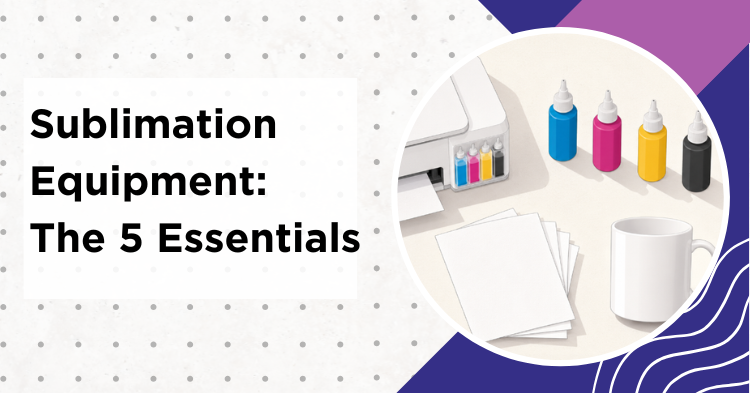
The core sublimation equipment you need is five things: a purpose-built sublimation printer, or a new and unused four-color Epson EcoTank dedicated to third-party sublimation ink, plus sublimation ink, sublimation paper, heat equipment matched to your blanks, and blanks that are either polyester, a sublimation-compatible polymer, or a hard good with a sublimation-compatible polymer coating (mugs, tumblers, glass, metal). You also need basic protective supplies, mainly clean butcher paper and heat-resistant tape. My tip: start with one product type instead of buying every press and accessory at once.
Last Updated: July 2026
Some links on this page are affiliate links. As an Amazon Associate I earn from qualifying purchases, at no extra cost to you.
If you are starting out with sublimation equipment, the gear list can feel overwhelming. Every blog adds more “essentials” until your cart is full of things you will never use. This hub cuts through the noise: what you actually need, what is optional, and what to buy for a basic hobby setup, a flexible home setup, or regular production.
The recommendations below are based on current product specifications, manufacturer documentation, printer compatibility, and buyer feedback. Product links were checked when this page was updated, but Amazon listings, sellers, bundles, and availability change over time.
What Sublimation Equipment Do You Need to Start?
Every setup needs five things. Printer and ink are often lumped together, but they are two separate buying decisions, and getting the pairing wrong is the most common beginner mistake.
| Category | Purpose |
|---|---|
| 1. Printer | Prints your design onto sublimation paper. Either a purpose-built dye-sublimation printer (Sawgrass SG500, Epson SureColor F170) or a new, unused four-color Epson EcoTank dedicated permanently to sublimation ink. Six-color photo models are not simple conversions. |
| 2. Sublimation Ink | Manufacturer ink for a dedicated printer, or a model-compatible third-party sublimation ink set for a converted Epson. |
| 3. Sublimation Paper | Coated paper that holds the ink and releases it into the blank during pressing. |
| 4. Heat Equipment | The right machine for your blank: a flat press for flat products, a mug or tumbler press for drinkware, or a craft-only convection oven for compatible wrap-style blanks. There is no single machine that suits everything. |
| 5. Sublimation-Ready Blanks | Polyester fabric, sublimation-compatible polymer materials, or hard goods with a sublimation-compatible polymer coating. Conventional sublimation does not work directly on untreated cotton, raw wood, or bare stainless steel. |
Accessories like butcher paper, heat-resistant tape, and gloves matter more than beginners expect, and I cover them in their own section further down.
Read This Before You Convert an Epson
Epson sells EcoTank printers as ordinary inkjets, not as convertible sublimation printers. Conversion is something the crafting community does, not something Epson supports, and damage caused by non-genuine ink may not be covered under warranty. Three rules cut out most setup problems, ink contamination, and avoidable conversion failures.
Buy it new and unused. A printer that has already run regular ink has to be flushed thoroughly before conversion, which adds work and raises the risk that residual ink affects your color. It can be done. It is just a bad first project. As a beginner, do not convert a used printer.
Choose a four-color CMYK model. Six-color photo EcoTanks like the ET-8500 and ET-8550 need six correctly matched sublimation inks and are not a simple four-bottle conversion. Beginners should stay with a four-color model for which a model-compatible ink set actually exists.
Dedicate it permanently. Keep the converted printer on sublimation ink. Going back to ordinary ink means another full flush and risks cross-contamination in both directions.
Why Epson and Not Canon or HP?
Most DIY conversions use Epson because Epson’s Micro Piezo and PrecisionCore printheads push ink out mechanically rather than heating it to fire it. The more practical reason is simpler: the sublimation inks and conversion workflows you can actually buy are developed and supported for specific Epson models. Canon and HP consumer inkjets mostly use thermal printheads and are not supported this way. Do not treat one as an interchangeable EcoTank alternative unless a reputable sublimation ink supplier explicitly supports that exact printer and publishes a documented workflow. Epson itself does not support conversion at all, so waiting for the printer manufacturer’s blessing is not the test.
Which Sublimation Printer Should a Beginner Buy?
The printer is your biggest single decision. You have two practical choices: a dedicated dye-sublimation printer that arrives ready to print, or a converted four-color Epson EcoTank, which costs less but puts the setup and the risk on you.
Size matters more than specs. Decide on your largest likely design first. Letter-size printing limits how large an adult shirt design can be. If you want designs wider or taller than your printer’s printable area, look at a 13×19 or wider-format model, and a press big enough to cover the design in one go.
Recommended Sublimation Printers on Amazon:
- Epson EcoTank ET-2800. Four-color CMYK, the most common budget entry point for conversion. See our ET-2800 review.
- Epson EcoTank ET-2803. Near-identical to the ET-2800, sometimes the better deal of the two.
- Epson EcoTank ET-2850. Adds automatic two-sided document printing and a small color display. Neither feature helps with sublimation, so do not pay extra for them.
- Epson EcoTank ET-15000. Prints up to 13×19 inches through the rear feed, which gives you room for larger shirt graphics without tiling.
- Epson SureColor F170. A true dye-sublimation printer, ready out of the box. No conversion, and no warranty question about third-party ink.
- Sawgrass SG500. Purpose-built desktop printer. For conventional sublimation on polyester and coated blanks, choose the SubliJet UHD ink system. Sawgrass also sells a VersiFlex configuration for specialty surfaces, so confirm which ink system you are ordering.
As an Amazon Associate I earn from qualifying purchases.
For a full comparison see our best Epson printers for sublimation guide, our Sawgrass vs Epson comparison, and our cheapest sublimation printers ranked.
Which Sublimation Ink Works With Your Printer?
Ink is not interchangeable. Dedicated printers use the manufacturer’s own ink (Sawgrass SubliJet, Epson sublimation ink). Converted EcoTanks use third-party sublimation ink, and the set has to be sold as compatible with your exact model. The established consumer brands are Hiipoo, Printers Jack, Koala, and InkOwl. Always check compatibility with your printer, ink system, and paper before ordering.
Popular Sublimation Inks on Amazon:
- Hiipoo Sublimation Ink (522, EcoTank). Widely used in ET-2800 and ET-2850 conversions. Some lines are marketed as not needing a custom ICC profile, but that does not make color automatic: it still depends on your paper, software, driver settings, and blank.
- Printers Jack Sublimation Ink (4x100ml). Long-running brand, widely used in converted Epson setups.
- Sawgrass SubliJet UHD Ink (SG500/SG1000). Manufacturer ink for Sawgrass printers.
- Koala Sublimation Ink Refill. CMYK refill bottles for EcoTank and WorkForce models.
As an Amazon Associate I earn from qualifying purchases.
My tip: pick one ink brand and stay with it. Switching brands inside a converted printer risks contaminating the system, and you should expect to flush and re-profile before you trust the color again.
For a full comparison see our best sublimation inks guide.
Which Sublimation Paper Should You Use?
Sublimation papers differ in coating, thickness, and finish, and they behave differently even when they look similar on the shelf. They differ in coating, release speed, and how well they suit a given printer. Before you buy, confirm the paper size, the printer, the ink system, and the recommended paper settings. If you run a Sawgrass, select the correct printer, ink, substrate, paper, and quality settings in the current Sawgrass print software rather than assuming one profile fits everything.
Popular Sublimation Paper on Amazon:
- A-SUB Sublimation Paper (110 Sheets). Reliable all-purpose paper with official ICC profiles available.
- TexPrint DT Light / XPHR. Premium paper used in professional workflows.
- Hiipoo Sublimation Paper (120gsm). Marketed for desktop sublimation printers. Check it against your printer, ink, paper size, and print settings.
- Koala Sublimation Paper (120gsm, 120 sheets). Budget-friendly bulk option.
As an Amazon Associate I earn from qualifying purchases.
For a full comparison see our best sublimation papers guide. And to be clear about cotton: standard sublimation does not bond to untreated cotton, no matter which paper you use. Cotton needs a coating, a specialty transfer product, or a different decoration method, which we cover in our guide to sublimation on cotton.
Which Heat Press Do You Need?
This is where the design actually transfers into the blank, and the right machine depends entirely on what you are making. A mug press cannot make shirts. A flat platen cannot press a mug or wrap evenly around a tumbler. Before you buy any press, check its platen size, maximum opening or thickness clearance (this decides whether thick plaques and tiles fit at all), pressure adjustment, voltage, amperage, temperature controls, warranty, and whether replacement parts are available.
There Is No Universal Temperature or Time
Every settings chart you find online, including the manufacturer ones, is a starting reference and nothing more. Time, temperature, pressure, and cooling vary by blank, coating, press design, and even altitude. Always use the instructions that came with the exact blank, then confirm your own press with a test piece before you commit a batch. Sawgrass publishes an official settings chart (PDF) that makes a reasonable starting point. Start from the instructions for your exact blank, then validate them with a test piece, because press temperature, pressure, and coating behaviour all vary.
Recommended Heat Presses on Amazon:
- HTVRONT Auto Heat Press 15×15. Auto-open, which helps if you tend to lose track of the timer.
- VEVOR 8-in-1 Heat Press 15×15. Combination press for people who genuinely need several attachments. Check the exact bundle before ordering: many 8-in-1 kits include a standard mug heater rather than a long tumbler heater.
- Cricut EasyPress 2. Portable, for small flat designs that fit completely under the plate. Pressure is applied by hand, so it is less consistent than a real press for larger designs or repeat work.
- HTVRONT Auto Tumbler Press. Dedicated drinkware press. Check the supported diameter and length, and whether full-wrap designs need repositioning.
- Geo Knight DK20S 16×20 (Pro). Professional swing-away, made in the USA.
As an Amazon Associate I earn from qualifying purchases.
Clamshell and swing-away describe how the top plate moves. Auto-open is a separate release feature that can appear on either design. Do not treat them as three competing categories.
For a full comparison see our best heat press machines guide.
Can You Sublimate Without a Heat Press?
Some oven-rated mugs and tumblers can be sublimated with shrink film in a convection oven or a large convection-style air fryer. It is a real workaround, not a gimmick, but it comes with a hard rule.
Never use the appliance for food again. Inks, coatings, adhesives, and shrink wrap can leave residues and release fumes. Once an oven or air fryer is used for sublimation, it is a craft-only appliance permanently. Confirm the blank and the wrap are oven-compatible, work with good ventilation, and keep the appliance away from your kitchen workflow.
Details and settings are in our air fryer sublimation guide.
Which Sublimation Blanks Actually Work?
Blanks are polyester fabrics, sublimation-compatible polymer materials, or hard goods with a sublimation-compatible polymer coating. Buy blanks that are explicitly sold as sublimation-ready. Ordinary retail mugs and bare stainless steel tumblers generally lack the layer that receives the dye, which is why they come out blank or blotchy. Surfaces like untreated cotton and raw wood need a coating, a specialty transfer system, or a different decoration method entirely.
Popular Sublimation Blanks on Amazon:
- DANALLAN 11oz Sublimation Mugs (12-pack). Coated ceramic mugs, a sensible blank to learn on.
- Sublimation Keychain Blanks (50-pack). Coated acrylic keychains for quick gifts.
- PYD Life Sublimation Acrylic Sheets 12×12. For signs and photo panels. Confirm the exact listing is made for sublimation: ordinary craft acrylic will not take the dye.
- Sublimation Glass Cutting Board Blanks. A higher-end option for personalized kitchen gifts.
As an Amazon Associate I earn from qualifying purchases.
For blanks by project type, see our guides to mugs, tumblers, glass, acrylic, canvas, and pillow covers.
Which Equipment Do You Need for Each Project?
The five essentials stay the same. The press and the blanks change with what you make.
| Project Type | Heat Equipment | Main Blanks |
|---|---|---|
| Mugs only | Mug press (11oz, 15oz) | Coated ceramic sublimation mugs |
| Tumblers only | Tumbler press, or craft-only convection oven with shrink wrap | Stainless steel tumblers with a sublimation-compatible polymer coating |
| Shirts / Fabric | Flat heat press large enough to cover the design in one press | White or light high-polyester shirts, tote bags, pillow covers. 100% polyester gives the strongest color; lower-polyester blends produce a softer, more faded-looking result |
| Mixed products | Flat press plus mug press | Mugs, shirts, coasters, keychains, tote bags |
| Hard goods | Depends on the shape. Flat panels press flat; cylindrical items need drinkware equipment or an oven. Follow the manufacturer instructions | Only sublimation-rated coated metal, glass, acrylic, ceramic, or engineered wood. Raw wood and bare metal do not work |
Which Setup Fits Your Budget?
Here is the same decision, sorted by how much you want to spend and how much you plan to make.
| What You Need | Basic Hobby Setup | Flexible Home Setup | Regular Production |
|---|---|---|---|
| Printer | New, unused four-color Epson EcoTank, dedicated permanently to sublimation ink | Four-color EcoTank, or a dedicated printer if you would rather skip conversion | Pick by width and volume: Sawgrass SG500 or Epson F170 for desktop work, SG1000 for larger sheets, Epson F570 for wide format |
| Ink | One model-compatible third-party ink set | One consistent ink workflow, with a matching ICC profile when one exists | Manufacturer ink used with the maker’s supported driver, print utility, and paper settings |
| Paper | One budget sublimation paper | Quality paper (A-SUB, TexPrint) | A paper proven with your printer, ink, and workflow |
| Heat Equipment | One press for one product: a mug press for mugs, or a flat press for shirts and flat blanks | 15×15 flat press plus a mug or tumbler press | 15×15 or 16×20 clamshell or swing-away, plus dedicated drinkware presses |
| Blanks | A small test pack of one blank type | Mugs, tumblers, tote bags, acrylic | Only proven sellers and repeat-use blanks |
| Accessories | Heat-resistant tape, butcher paper, gloves | Add lint roller and a pressing pillow if you press shirts | Add production software only when order volume or repeatable color actually demands it |
Which Accessories Do You Actually Need?
Tape and protective paper cost very little and often decide whether you get a clean transfer or a ruined blank. These are the ones that earn their place.
Essential Sublimation Accessories:
- Heat-Resistant Tape (Polyimide). Holds the transfer down and cuts the risk of movement. Movement during pressing is the most common cause of ghosting.
- Butcher Paper. Clean, uncoated butcher paper above and below the project protects your press from bleed-through. Use a fresh sheet each time.
- Heat-Resistant Gloves. For handling hot mugs, tumblers, metal panels, and glass after pressing. Never touch a live platen, gloves or not.
- Zonon Sublimation Shrink Wrap (50pcs). Only if you are doing tumblers in an oven.
- Pressing Pillow. Use it when seams, zippers, collars, or raised edges get in the way of even pressure. An ordinary flat shirt does not need one.
As an Amazon Associate I earn from qualifying purchases.
A word on nonstick sheets. Reusable nonstick sheets are popular, but if ink reaches one, it can retain the dye and pass it onto a later project. In some fabric workflows they also trap moisture. Clean, uncoated butcher paper, thrown away after each press, is the safer default for conventional sublimation.
And on measuring your press. Knowing your platen’s real temperature matters more than most beginners expect: a press showing 400F can be running 20 degrees cooler, and that alone explains a lot of faded prints. But buy the right tool for it. Heat test strips or a contact probe give you a number you can trust. An infrared gun does not, because reflection and the shiny surface of the platen distort the reading. Test strips cost very little and are worth having early. An infrared thermometer still has its uses for spotting obviously cold corners, just do not treat its number as the truth.
What Software Do You Need for Sublimation?
You need some way to create or edit designs before printing. Options range from free browser tools to professional software.
Color accuracy does not come from the software alone. It comes from the whole chain: printer, ink, paper, driver, software, and profile. Use either the printer maker’s supported print utility or a properly installed ICC workflow, but never let the design software and the printer driver both manage color at the same time. That double-management is one of the most common causes of colors that come out wrong for no obvious reason.
| Software | Cost | Best For | Manual ICC Workflow |
|---|---|---|---|
| Canva | Free / Pro | Easiest starting point | Limited |
| Photopea | Free | Photoshop alternative in the browser | Limited browser-based workflow |
| Adobe Photoshop | Subscription | Industry standard | Full |
| Affinity Photo | One-time purchase | Professional, no subscription | Full |
| GIMP | Free | Open source | Available, less beginner-friendly |
| Cricut Design Space | Free | If you already own a Cricut | No reliable in-app ICC workflow. Rely on the driver instead |
One thing every beginner asks: most standard sublimation transfers are printed mirrored, because the printed side goes face down against the blank. Specialty transfer products can differ, so follow their instructions.
Before you buy a printer, check that its current driver and print utility support your Windows or macOS version. Mobile printing is convenient, but a computer gives you real control over print size, mirroring, quality, and color.
For a full comparison see our sublimation design software guide.
How Do You Work Safely With Heat Presses and Ovens?
Every machine on this page gets hot enough to burn you and draws real current. Before ordering a press, confirm its voltage, plug type, amperage, and what circuit it needs. Set it on a stable, heat-resistant surface with clear space around it, away from children and anything combustible. Ventilate the room: heated coatings, tapes, shrink film, and blanks can release odors or vapors, especially if they are overheated. Our guide on whether sublimation fumes are harmful covers this properly.
What Should You Buy First?
Buy in this order
1. Pick one product to make first.
2. Buy the press that product needs.
3. Buy a printer that can print your largest design.
4. Buy one ink and paper combination that suits that printer.
5. Buy a small test pack of one blank.
6. Add tape, butcher paper, and gloves.
7. Make something that works. Then buy more.
Most beginners do this backwards. They buy the printer first, then a press that does not suit the blank they actually wanted to make, then a case of blanks they never touch. Working from the product backwards costs less and wastes less.
Compare running costs too, not just the printer price. Replacement ink, paper, failed transfers, cleaning cycles, test blanks, maintenance, and shipping all add up, and they often dwarf the difference between two printers.
What to Skip (at Least at the Start)
Plenty of beginner lists push gear you do not need for months. Here is what to leave in the cart.
A cutting machine. You do not need a Cricut or Silhouette for printed sublimation transfers. It only earns its place if you also do HTV, stickers, or cut templates.
A tumbler press, unless tumblers are one of your first planned products. It is a single-purpose machine.
A dedicated convection oven, unless you have decided oven-rated drinkware is a core product. Remember it can never go back to food.
Bulk blank cases. Press one small batch successfully before you commit to a hundred of anything.
A second ink brand. Mixing brands inside a converted printer invites contamination and a re-profiling job.
Wide-format printers. Start at letter size unless you already know you need 13×19 regularly.
RIP software, monitor calibrators, and custom ICC profiles. A vendor profile can be enough to start with, but only when it was built for your exact printer, ink, paper, and driver settings. Do not install one just because it came from the ink brand. RIP software makes sense for volume production, not for your first shirt.
Your Sublimation Setup Checklist
The five essentials:
- ☐ Sublimation printer (if converting: new, unused, and four-color)
- ☐ Model-compatible sublimation ink
- ☐ Sublimation paper
- ☐ The right heat equipment for your blank
- ☐ Sublimation-ready blanks
Protective supplies:
- ☐ Heat-resistant tape
- ☐ Butcher paper
- ☐ Heat-resistant gloves
- ☐ Lint roller (fabric only)
Add later, only if you need them:
- ☐ Pressing pillow (seams and zippers only)
- ☐ Infrared thermometer or temperature strips (troubleshooting)
- ☐ Shrink wrap and craft-only oven (tumblers only)
Prices change constantly, so check the current price on Amazon at the time you buy.
When Should You Upgrade?
Upgrade only when your current setup is creating a real limitation, not because a bigger machine exists.
Printer. Move up when you genuinely need a wider print size, or when you want a fully supported printer, ink, and software system instead of a converted one. If the trigger is clogging, do not buy a new printer yet. Check how often you print, your room conditions, ink compatibility, nozzle maintenance, and whether the ink is old or contaminated. Replace the printer only once troubleshooting shows the printhead itself is done.
Heat press. Move up when you need a larger press area, when auto-open would make you more consistent, or when you need swing-away clearance for thick blanks.
Ink and color workflow. Move up when you need repeatable color and can move to a fully supported printer, ink, software, and paper system together. Avoid switching ink brands inside a converted printer unless you understand the flushing and re-profiling that follows.
Paper. Move up when you are getting roller marks (a faster-drying paper helps) or when you are selling and need consistent release.
For specific problems, see our fix sublimation mistakes guide, our color problems guide, and our sublimation banding fixes.
Starting a Sublimation Business?
If your goal is more than a hobby, our sublimation printing business guide covers tiered equipment lists, startup costs, sales channels, and order workflow.
Frequently Asked Questions
What sublimation equipment do I need to start?
Five things: a sublimation printer (a purpose-built one such as the Sawgrass SG500 or Epson SureColor F170, or a new, unused four-color Epson EcoTank dedicated permanently to sublimation ink, since six-color photo models are not simple conversions), model-compatible sublimation ink, sublimation paper, heat equipment that suits your blank, and sublimation-ready blanks. You will also want tape, butcher paper, and gloves from the very first project.
How much does sublimation equipment cost?
It varies widely by brand and current pricing, so check the current price on Amazon for the items you want. More useful than the sticker price is the running cost: replacement ink, paper, failed transfers, test blanks, and maintenance. A basic hobby setup is one converted four-color EcoTank, one ink brand, one paper, and a single press. A production setup adds a dedicated printer and more press types.
Can I use a regular inkjet printer for sublimation?
Ordinary inkjet ink cannot sublimate. You need a purpose-built dye-sublimation printer, or a new and unused Epson Piezo printer for which a compatible sublimation ink system and a documented conversion workflow actually exist. Most Canon and HP consumer inkjets use thermal printheads and are not suitable. For beginners, a four-color EcoTank conversion is the simplest DIY route. See our regular printer for sublimation guide.
Do I need a Sawgrass printer to start?
No. Most crafters start with a converted four-color Epson EcoTank because it costs less. Sawgrass may suit sellers who want a purpose-built desktop system with a supported software workflow, while an Epson dye-sublimation model may fit better depending on print size, running cost, and volume. See our Sawgrass vs Epson comparison.
Do I need a Cricut for sublimation?
No. A cutting machine is not required for standard printed sublimation transfers. It is only useful if your workflow also involves HTV, stickers, cut templates, or contour-cut specialty materials. Plenty of people spend on a cutting machine before they own a press, and then cannot make anything.
What blanks work with sublimation?
Polyester fabric, sublimation-compatible polymer materials, and polymer-coated hard goods: coated mugs, tumblers, glass, acrylic, ceramic, metal, and engineered wood products sold as sublimation-ready. Untreated cotton, raw wood, bare stainless steel, and generic plastics will not take conventional direct sublimation unless they have a suitable receiving layer or you use a compatible specialty transfer system. For fabric, 100% polyester gives the strongest color, and lower-polyester blends produce a softer, more faded-looking result because only the polyester fibers take the dye.
Do I need a separate mug press and tumbler press?
Not necessarily. A combination press system can include separate mug and tumbler heaters that run off the same controller, though the flat platen itself never presses cylindrical drinkware. Dedicated presses are faster and more consistent at volume. Compatible tumblers can also be done in a craft-only convection oven or a large convection-style air fryer, but settings and wrap requirements vary by blank, and that appliance can never be used for food again.
