Updated: July 12, 2026
This post contains affiliate links. As an Amazon Associate I earn from qualifying purchases at no extra cost to you.
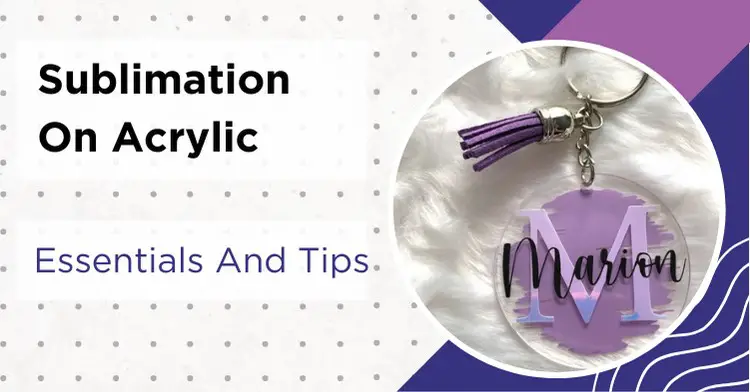
Sublimation on acrylic is one of the easiest ways to create stunning keychains, ornaments, photo panels, and bookmarks. Acrylic blanks are affordable, the results look professional, and the process is surprisingly beginner-friendly once you know the right settings.
My Quick Answer
For the most reliable results, use acrylic blanks sold specifically for sublimation. Most projects run around 375-400°F with light to medium pressure, but exact settings vary by blank and thickness. Regular extruded acrylic will warp or melt. Always check that your blanks are sublimation-grade. Let acrylic cool completely on a flat surface before handling to prevent warping.
Last Updated: March 2026
The best part about acrylic? It is already a polymer, so you do not need an extra coating like you would with canvas or natural fabrics. Acrylic blanks made for sublimation are designed to accept sublimation dye under heat and pressure, giving you a permanent, scratch-resistant finish.
Essentials To Sublimate On Acrylic Blanks
Sublimating on acrylic sheets or blanks can produce beautiful results, but the wrong tools or incorrect heat settings will ruin your blanks fast. Here is what you need to get started.
A sublimation printer, ink, and paper are the foundation of any sublimation project. The quality of your output depends entirely on the sublimation equipment you use. A good printer like the Epson EcoTank ET-15000 paired with quality sublimation paper makes all the difference.
You will also need a heat press. Either a standard flat press or a portable option like the Cricut EasyPress 2. The VEVOR 8-in-1 Heat Press is a solid budget option that handles acrylic well.
For supplies, you need white or clear sublimation acrylic blanks (more on choosing the right type below), heat resistant tape to secure your transfer, and butcher paper to protect both the acrylic and your heat press from ink blowout.
Cast vs Extruded Acrylic: Why It Matters
This is the single most important thing to understand before you start. There are two types of acrylic, and using the wrong one will ruin your project.
Cast acrylic is made by pouring liquid acrylic into molds. It has a higher melting point (around 320°F) and can handle sublimation temperatures without warping. Most sublimation blanks are cast acrylic, but product construction varies by supplier.
Extruded acrylic is made by pushing acrylic through a machine. It is cheaper and more common at hardware stores, but it has a lower heat tolerance and will warp, bubble, or melt during pressing. Never use extruded acrylic from Home Depot or Lowes for sublimation.
Warning: For the most reliable results, always buy acrylic blanks specifically made for sublimation. These are typically cast acrylic with a sublimation-ready surface. Regular acrylic sheets from hardware stores. Even cast ones. May not accept the ink properly.
Smart Way to Sublimate on Acrylic Surfaces
The key advantage of using acrylic for sublimation is that it is a polymer, so you do not need to apply an extra polymer coat for ink absorption like you would with canvas and natural fabrics.
Here is the step-by-step process for sublimation on acrylic surfaces:
Step 1: Measure the acrylic blank and design your image slightly larger (about 1-2 inches on each side). This prevents paper edge marks on clear acrylic.
Step 2: Print your design on sublimation paper. Mirror the image if it contains text.
Step 3: Remove any protective film from the acrylic and wipe both sides with a lint-free cloth. Avoid harsh cleaners or soaking acrylic in alcohol. If your blank supplier recommends alcohol for surface prep, test on a scrap piece first.
Step 4: Preheat your press to 380-400°F. Place the acrylic on the press for 10-15 seconds to preheat it. This prevents warping from sudden temperature changes.
Step 5: Tape the sublimation paper face-down onto the printing side of the acrylic using heat resistant tape. Seal all edges so the paper cannot shift.
Step 6: Sandwich everything in butcher paper (top and bottom) and press at 380-400°F for 60-90 seconds with medium pressure.
Step 7: Remove the acrylic and immediately place it on a flat surface with a heavy book or cutting board on top. This is critical. Acrylic warps if it cools unevenly. Keep it weighted down for at least 2 minutes.
Step 8: Once completely cool, peel off the transfer paper to reveal your design.
For clear acrylic: The colors will look muted until you add a white backing. Apply white vinyl or white spray paint to the printed side after sublimating. This is when the design really pops.
How Thick Should Acrylic Be for Sublimation?
The thickness you choose depends on what you are making. Thinner acrylic heats up faster but feels less premium. Thicker acrylic takes longer to press but has that substantial, gift-worthy weight.
For keychains and bookmarks, 2-3mm (about 1/16″ to 1/8″) works perfectly. It is lightweight, easy to work with, and heats through quickly.
For photo panels, coasters, and anything gift-worthy, go with 5-6mm. The extra thickness gives a premium feel. For awards and plaques, 6-10mm creates that impressive weight.
Here is a quick reference:
| What You’re Making | Thickness | Press Time |
|---|---|---|
| Keychains & Bookmarks | 2-3mm | 45-60 seconds |
| Ornaments | 3-5mm | 60-75 seconds |
| Photo Panels & Coasters | 5-6mm | 75-90 seconds |
| Awards & Plaques | 6-10mm | 90-120 seconds |
My tip: Always preheat thicker pieces for 15-20 seconds before adding the transfer paper. This helps prevent warping and ensures even color transfer.
My Acrylic Sublimation Settings Cheat Sheet
These are the settings that consistently produce great results across different acrylic projects. Always follow the blank supplier’s settings first if they are provided. Every heat press runs a little differently, so do a test piece and adjust from there.
| Project | Temperature | Time | Pressure |
|---|---|---|---|
| Keychains | 380°F (193°C) | 45-60 sec | Medium |
| Bookmarks | 380°F (193°C) | 60 sec | Medium |
| Ornaments | 380°F (193°C) | 60-75 sec | Medium |
| Photo Panels | 385°F (196°C) | 75-90 sec | Medium-Light |
| Coasters | 385°F (196°C) | 90 sec | Medium |
| Earrings | 375°F (190°C) | 40-50 sec | Light |
If you also work with an air fryer for sublimation, acrylic keychains and small blanks work well in a convection air fryer at 380°F for about 5-6 minutes. Check out the full air fryer sublimation guide for detailed instructions.
Making Acrylic Bookmarks: Step-by-Step
Acrylic bookmarks are one of the most popular beginner projects. They are quick to make, the profit margin is great, and they make excellent gifts.
Getting your design ready: Design your bookmarks at 2″ x 6″ in Canva or any sublimation design software. Always mirror your image before printing if it contains text.
Prepping the acrylic: Use 2-3mm clear or white acrylic blanks. Peel off any protective film and wipe with a lint-free cloth. Avoid harsh cleaners, if your supplier recommends alcohol, test on a scrap first.
The pressing process: Set your heat press to 380°F and press for 60 seconds at medium pressure. Always preheat the acrylic for about 10 seconds first. This one step eliminates most warping problems.
Place your printed design face-down on the acrylic, tape it securely on all edges, and cover with butcher paper. After pressing, let it cool for at least 30 seconds on a flat surface before peeling.
For clear acrylic bookmarks: Colors will look muted until you add a white backing. White vinyl applied after sublimating is the cleanest option, but white spray paint works too. That white backing is what makes the colors look vibrant.
Three things that will save you frustration: do not use too much pressure (it can crack thin acrylic), never skip the preheat step, and always let it cool flat before removing the paper.
White vs Clear Acrylic: Which Should You Choose?
White acrylic is the easier option. Colors pop immediately with no extra steps needed. What you see after pressing is what you get. White acrylic is the best choice for detailed photos, designs where color accuracy matters, and for beginners who want reliable results.
Clear acrylic gives that modern, see-through look that is very popular right now. The catch is that colors will look washed out until you add a white backing. Apply white vinyl to the back after sublimating, and the design comes to life. Some crafters use white spray paint instead, which also works well.
A creative option with clear acrylic: use different colored or glitter vinyl as backing. Holographic vinyl creates an eye-catching effect that customers love and helps your products stand out from the competition.
For beginners, start with white acrylic. Once you are comfortable with the process, experiment with clear acrylic and different backings. That is where you can get really creative.
Sublimation on Acrylic Troubleshooting
Even with the right settings, things can go wrong. Here are the most common problems and how to fix them:
Cloudy or hazy results: This almost always means you are using extruded acrylic instead of cast acrylic, or your temperature is too high. Lower to 375-380°F and make sure your blanks are sublimation-grade cast acrylic.
Yellowing on white acrylic: Temperatures above 400°F can cause white acrylic to turn cream-colored or yellowish. Stay at 380-385°F and do not exceed 90 seconds for thin blanks. Premium blanks from reputable suppliers also resist yellowing better than budget alternatives.
Warping or bending: The most common issue. Always preheat your acrylic for 10-15 seconds before adding the transfer. After pressing, immediately place the acrylic flat with a heavy object on top until it is completely cool. Never let acrylic cool freely. It will curl.
Faded or incomplete transfer: Usually means not enough time or temperature. Try increasing press time by 10-15 seconds. Also check that your sublimation paper is face-down on the correct side of the acrylic. For more sublimation color troubleshooting, check the full guide.
Ghosting (double image): The transfer paper shifted during pressing. Tape all four edges securely with heat resistant tape, and do not open the press until the full time has elapsed. If you are having consistent ghosting issues, check out the ghosting fix guide.
My Recommended Acrylic Sublimation Supplies:
- Sublimation Keychain Blanks (50 PCS, 5 Shapes). Great starter pack with circles, rectangles, hearts, and more
- PYD Life White Acrylic Sheets 12×12″ (8-Pack). Sublimation-coated cast acrylic, perfect for photo panels and coasters
- YRYM HT Teflon Sheets 16×20″ (3-Pack). Protects acrylic from direct heat and prevents sticking
As an Amazon Associate I earn from qualifying purchases.
FAQ’s
Can you sublimate on acrylic?
Yes. For best results, use acrylic blanks sold specifically for sublimation. Regular extruded acrylic from hardware stores usually warps or melts under pressing temperatures.
How long does sublimation take on acrylic?
Press time ranges from 45 seconds for thin keychains (2-3mm) to 120 seconds for thick awards (6-10mm). The standard for most projects is 60-90 seconds at 380-400°F.
Can I sublimate acrylic ornaments?
Yes. Use sublimation-coated acrylic ornament blanks at 380°F for 60-75 seconds. They make great personalized gifts, especially for holidays. Always let them cool flat to prevent warping.
What thickness of acrylic is best for sublimation?
For most projects, 3mm works great. Use 2-3mm for keychains and bookmarks, 5-6mm for coasters and photo panels where you want more weight, and 6-10mm for awards and plaques.
Can you sublimate on any acrylic?
No. You need acrylic blanks designed for sublimation. Hardware-store acrylic is usually not suitable. It has a lower heat tolerance and will warp or melt during pressing.
Why is my sublimation on acrylic cloudy?
Cloudy results usually mean you are using extruded acrylic instead of cast, or your temperature is too high. Lower to 375-380°F and make sure you are using sublimation-grade cast acrylic blanks.
Do you need to seal sublimation on acrylic?
No sealing required. Sublimation blanks designed for sublimation produce a permanent, scratch-resistant finish during pressing. No extra topcoat is needed.
Can you clean acrylic with alcohol before sublimating?
Some blank suppliers recommend rubbing alcohol for surface prep, but others advise against it. To be safe, use a lint-free cloth with water. If you do use alcohol, test on a scrap piece first. Some acrylic types are more sensitive than others.


Emily Johnson is a DIY crafter and the founder of SublimationGuides.com. She started out repairing and sewing clothes for her two sons, then discovered sublimation as a way to personalize her makes. Today she researches and shares honest, tested guides on sublimation settings, troubleshooting, and equipment.